Make windows transparent
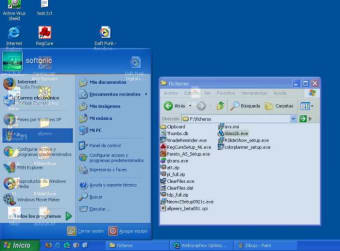
Glass2k is a free and special personalization suite that has the power to make your desktop’s windows look transparent. Developed by Chimes Software Ltd., the beta version of this lightweight program offers a stable performance that can remember every transparency settings of each window and enables you to make the taskbar appear translucent as well.
Top Recommended Alternative
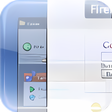
This way you can efficiently set any window on top, load on startup, and so on. Glass2k is actually more suitable to work on old Windows editions such as Windows 2000/XP. For modern Windows OS users, try WindowTop and Actual Transparent Window as better alternatives.
How to use Glass2K
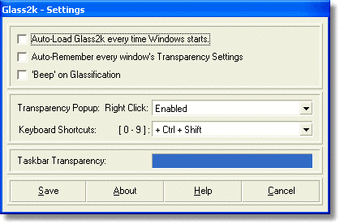
Once Glass2k has been installed and launched in your computer system, it will be unobtrusively placed in the system tray. By right-clicking on any preferred windows, you can easily select the transparency value you like to utilize from the pop-up menu. Apart from that, it actually supports various shortcut key combinations that allow you to access certain transparency values much instantly.
Through handy hotkeys, you are free to choose from Least transparency, A little more transparency, Very high transparency, Maximum transparency to No transparency/Solid values while in the pop-up menu, you can pick from the displayed percentage levels. Just keep in mind that the lower the percentage, the higher the transparency quality will be applied. To be precise, 10% is the most transparent while 90% is the least.
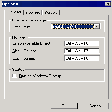
For taskbar transparency, it’s more recommended to point it from 80% to 90%. This simple utility can be configured to suit your particular needs. For instance, you can set the software to start immediately after startup. Enabling the ‘Beep’ sound will give you prompt awareness whenever a window is turned translucent. An ‘On-Top’ option, on the other hand, is available to help you designate a specific window in front always.
Oversee every computer window better
With glassy-designed desktop windows by Glass2k, you can now efficiently manage the opened ones. This way you can handle and supervise all of them without getting confused with the tab contents of each window. What’s more amusing is it demonstrates numerous transparent intensity levels that can cater to your demand and fancy. These can be modified from a right-click pop-up menu and hotkey combinations with so much convenience.